
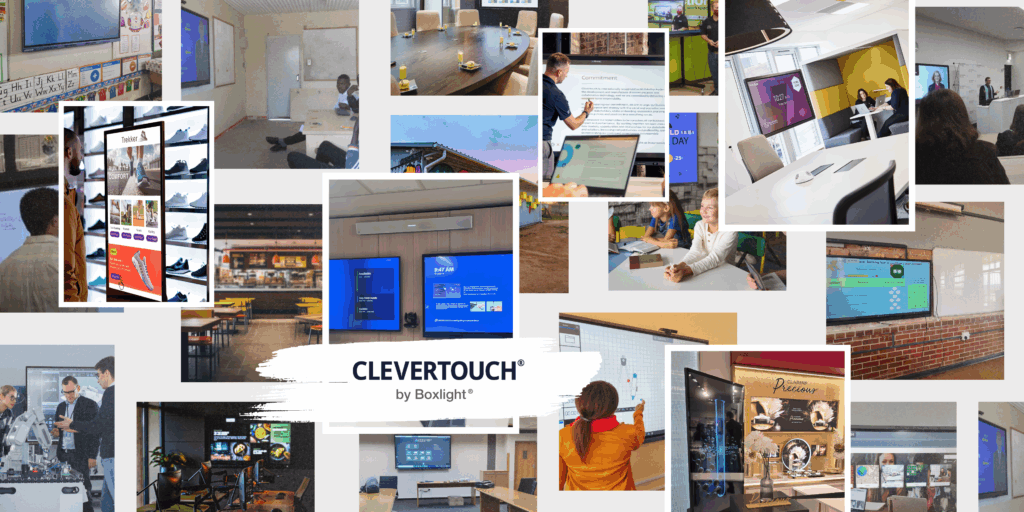
Why Choose Clevertouch Interactive Displays? — FAQs
1. What are Clevertouch interactive displays?
Clevertouch displays are state-of-the-art interactive flat panels designed to enhance collaboration, engagement, and productivity in both educational and corporate environments.
2. How can Clevertouch displays improve classroom learning?
They foster interactive, hands-on learning by allowing teachers and students to write, draw, annotate, and collaborate directly on the screen—boosting student engagement and knowledge retention.
3. What benefits do Clevertouch displays offer in meeting rooms?
In business settings, Clevertouch facilitates seamless presentations, real-time collaboration, wireless screen sharing, and video conferencing, helping teams work smarter and faster.
4. Are Clevertouch displays easy to use?
Yes, they feature intuitive interfaces, built-in software, and support for multi-touch gestures, making them user-friendly even for tech newcomers.
5. What software comes with Clevertouch displays?
They include powerful tools like LUX OS, Clevershare, CleverLive, and Cleverstore, offering annotation tools, wireless sharing, digital signage, and access to educational apps.
6. Can I connect my device to a Clevertouch display?
Absolutely—users can connect via USB, HDMI, or wirelessly through Clevershare, making it compatible with laptops, tablets, and smartphones.
7. Are these displays compatible with Zoom, Teams, and other conferencing tools?
Yes, Clevertouch displays work with most major video conferencing platforms, making them ideal for hybrid classrooms and remote meetings.
8. How does Clevertouch support inclusive and accessible learning?
The touch interface, combined with multimedia capabilities and customizable settings, ensures all learners—regardless of ability—can participate and engage fully.
9. Are there any security features for IT administrators?
Yes, Clevertouch offers remote device management, password protection, and scheduled updates to help IT teams manage displays securely across networks.
10. What sizes and models are available?
Clevertouch displays come in various sizes (typically 65″–98″) and models (such as IMPACT LUX, UXPro Edge, X5, IMPACT Max 2 and Pro3) to suit different space and budget requirements.
11. Is training or support provided after purchase?
Yes, Clevertouch offers customer support, training sessions, and a wealth of online resources to ensure you get the most out of your device.
12. How durable and reliable are Clevertouch displays?
Designed for high-traffic use, they feature toughened anti-glare glass, long-life LED screens, and reliable performance to withstand years of use. With a five-year warranty.
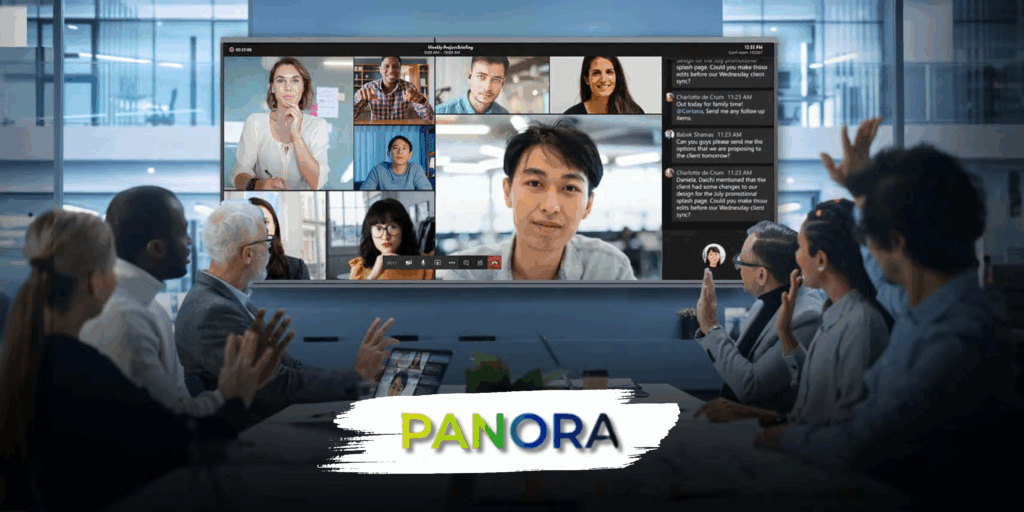
Why Choose Panora 21:9 Ultra-Wide Interactive Displays? — FAQs
1. What is the Panora 21:9 interactive display?
Panora is Interactive AV Solutions’ premium line of ultra-wide interactive displays, designed with a 21:9 aspect ratio to deliver expansive visual space ideal for modern classrooms, meeting rooms, and hybrid collaboration environments.
2. What makes the 21:9 aspect ratio special?
The 21:9 ultra-wide format offers significantly more horizontal screen real estate than traditional 16:9 displays—perfect for side-by-side content, immersive presentations, and multitasking without switching windows. The ideal solution for Microsoft Teams Front Row.
3. How does Panora enhance productivity in meeting rooms?
With more room to display multiple inputs simultaneously, Panora enables teams to collaborate, present, and video conference on one screen—improving workflow, reducing context switching, and boosting engagement.
4. Why is Panora ideal for hybrid and video conferencing setups?
Panora provides a cinema-style, immersive layout that fits full-width video feeds alongside shared content, chat, and notes—ideal for platforms like Microsoft Teams Front Row, Zoom, or Google Meet.
5. How does Panora benefit education environments?
Teachers can present digital resources, whiteboard, and student content side-by-side, encouraging interactive, flexible teaching styles that cater to both in-person and remote learners.
6. What interactive features does Panora offer?
It supports multi-touch input, annotation, gesture controls, and includes built-in software tools to facilitate brainstorming, teaching, and collaborative ideation—all on one expansive canvas.
7. Is Panora compatible with existing AV setups and devices?
Yes. Panora integrates seamlessly with laptops, tablets, cameras, and conferencing tools, and supports various inputs including HDMI, USB-C, and wireless casting.
8. Can Panora display multiple content sources at once?
Absolutely. The ultra-wide screen is perfect for split-screen use, allowing video conferencing, content sharing, and live annotation to happen simultaneously—no need for multiple displays.
9. Is the display suitable for digital signage or control rooms?
Yes. Panora’s wide format and clarity make it ideal for control rooms, digital dashboards, or signage in reception areas, where multiple data streams or visuals need to be shown at once.
10. What sizes are available in the Panora range?
Panora is available in large-format sizes (92″ & 105″) to deliver impactful viewing in large classrooms, boardrooms, or multi-use collaboration spaces.
11. What support is provided with a Panora display purchase?
Interactive AV Solutions offers full support including setup guidance, training, warranty coverage, and responsive technical assistance to ensure a smooth deployment.
1. What does Interactive AV Solutions do?
Interactive AV Solutions is a leading provider of cutting-edge audio-visual technology for education, corporate, and public sector environments. We specialize in designing, supplying, installing, and supporting interactive displays, video conferencing systems, digital signage, and complete AV integration solutions.
2. Who are your typical customers?
We serve a broad range of clients including schools, colleges, universities, corporate offices, government departments, healthcare providers, and commercial organizations looking to enhance communication, collaboration, and presentation capabilities.
3. What services does IAS-AV provide?
IAS-AV specializes in delivering cutting-edge audio-visual technology solutions for education, corporate, and government sectors. Their offerings include:
Interactive touch screens
Room booking systems
Commercial displays
Video Conferencing Cameras
Brackets
Mobile trolleys
4. Which industries does IAS-AV serve?
IAS-AV caters to a diverse range of industries, including:
Education (schools, universities)
Corporate offices
Government departments
Healthcare facilities
Retail and commercial organizations
5. Is IAS-AV affiliated with any major brands?
Yes, IAS-AV is the exclusive distributor of Clevertouch Technologies in Sub-Saharan Africa, providing state-of-the-art interactive displays and collaboration tools.
6. Does IAS-AV provide after-sales support?
Yes, IAS-AV offers a full range of support options, including remote diagnostics, on-site service, extended warranties, and proactive maintenance plans to ensure the longevity and optimal performance of AV systems.
7. Where is IAS-AV located?
IAS-AV is headquartered in Cape Town, Western Cape, South Africa.
8. How can I get in touch with IAS-AV?
You can contact IAS-AV through their website’s contact page: https://www.ias-av.co.za/contact/